Guardian puts your child's PC on your screen. Watch it live, take control when they need help, and approve every new app and website before it opens.
There's nothing on their PC to click, close or end. Guardian runs as a protected Windows service they can't switch off.
Watch any of their monitors. Press Take control to use their mouse and keyboard when they need a hand.
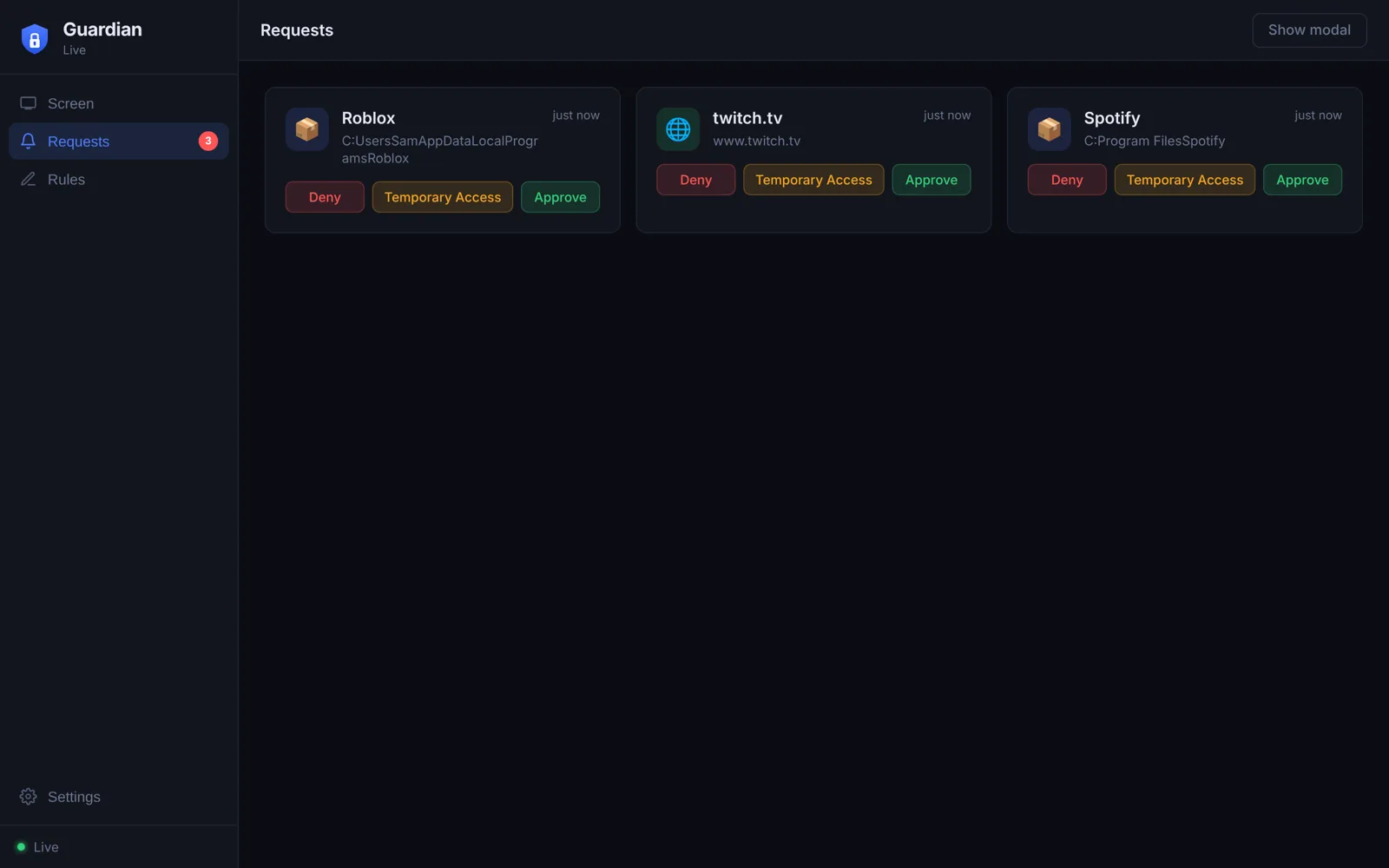
Open a new app or website and you get a popup. Pick one:
Set the hours the PC can be used each day. Outside them it locks itself.
Adult and harmful sites are blocked on top of your own rules, in every browser.
Each parent has their own app and account. New parents have to be approved by one who's already set up.
Your password or Windows Hello is needed every time the app starts, so nobody else can open it on your PC.
Download Guardian, make your account, and confirm it with the code we email you.
From an administrator account, run the Child PC installer. Write down the Device ID and pairing code it shows. Make sure their own Windows account is a standard account.
In Guardian, open Settings, type the Device ID and pairing code, and you're watching. Updates install themselves from then on.
Always the newest version. Windows 10 and 11, 64-bit.
The app for your PC. Watch their screen, answer requests and set the rules.
Download for your PC Guardian-Setup.exe Installs toC:\Users\your name\AppData\Local\Programs\Guardian
Install once on the PC you're looking after, from an administrator account. It runs quietly in the background.
Download for their PC Guardian-Child-PC-Setup.exe Installs toC:\Program Files\Guardian
Yes. Guardian isn't signed with a paid certificate yet. Click More info, then Run anyway.
Add the folder Guardian installs to as an exclusion. On your PC that's C:\Users\your name\AppData\Local\Programs\Guardian; Settings in the app has a button that opens it. On their PC it's C:\Program Files\Guardian.
For now, Guardian connects over your home Wi-Fi, so a parent PC with Guardian running needs to be on the same network.
Not from a standard Windows account. Removing it needs an administrator password.
Type it wrong five times, or press Forgot password, and we'll email you a reset code. You can also reset it here.